Freeze and unfreeze
Freeze a card when the cardholder misplaces it or wants to pause spending. Call Freeze a card, and Unfreeze a card to restore it. Either is available to you at any time. A frozen card declines everything, including in-store and ATM use of a physical card and any mobile wallet it has been added to. Freeze is the soft toggle. When you need a hard stop, block the card instead. See freeze and block for the difference.Freeze and unfreeze a card in the dashboard
Freeze and unfreeze a card in the dashboard
Freeze opens a confirmation. After you confirm, the card shows Frozen, an alert says spending is paused, and the button changes to Unfreeze. Unfreeze applies in one click. The card returns to Active, the pause alert goes away, and the dashboard confirms the card is unfrozen.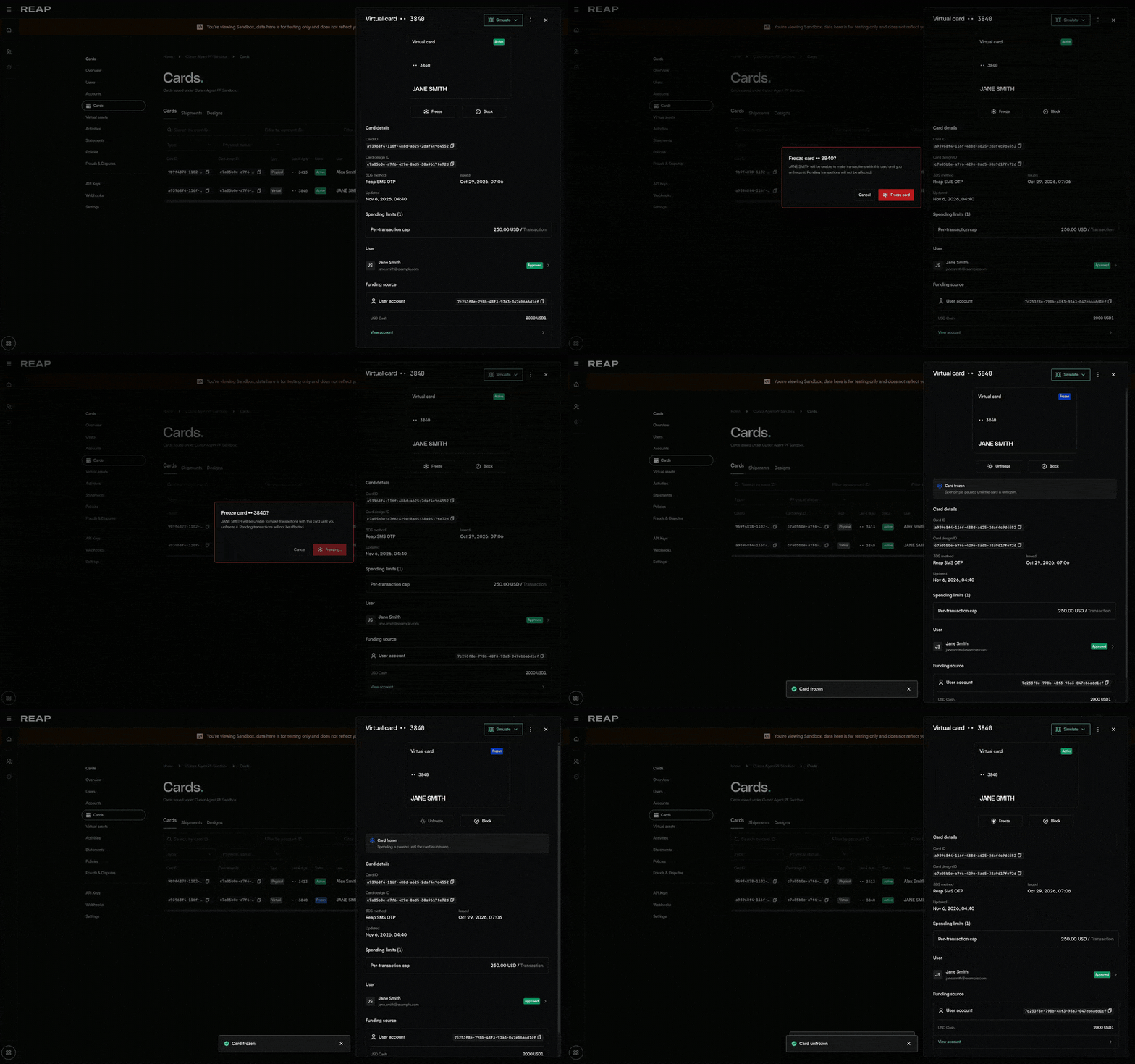
Block and unblock
Block a card when it needs a hard stop: the cardholder reports it compromised, a dispute is open, or you are holding the account pending review. Call Block a card. The card returnsstatus: BLOCKED with blockReason.type: CLIENT_REQUESTED.
Call Unblock a card to lift it. Read blockLiftable on the card first: a block Reap placed for risk or compliance reports false and returns 409 CARD_BLOCK_NOT_LIFTABLE. See blocked cards for every reason, who can lift it, and what happens to a freeze the block was hiding.
Block and unblock a card in the dashboard
Block and unblock a card in the dashboard
Block opens a confirmation. After you confirm, the card shows Blocked, an alert says spending is stopped, and the button changes to Unblock. Unblock asks you to confirm. The card returns to Active, the block alert goes away, and the dashboard confirms the card is unblocked.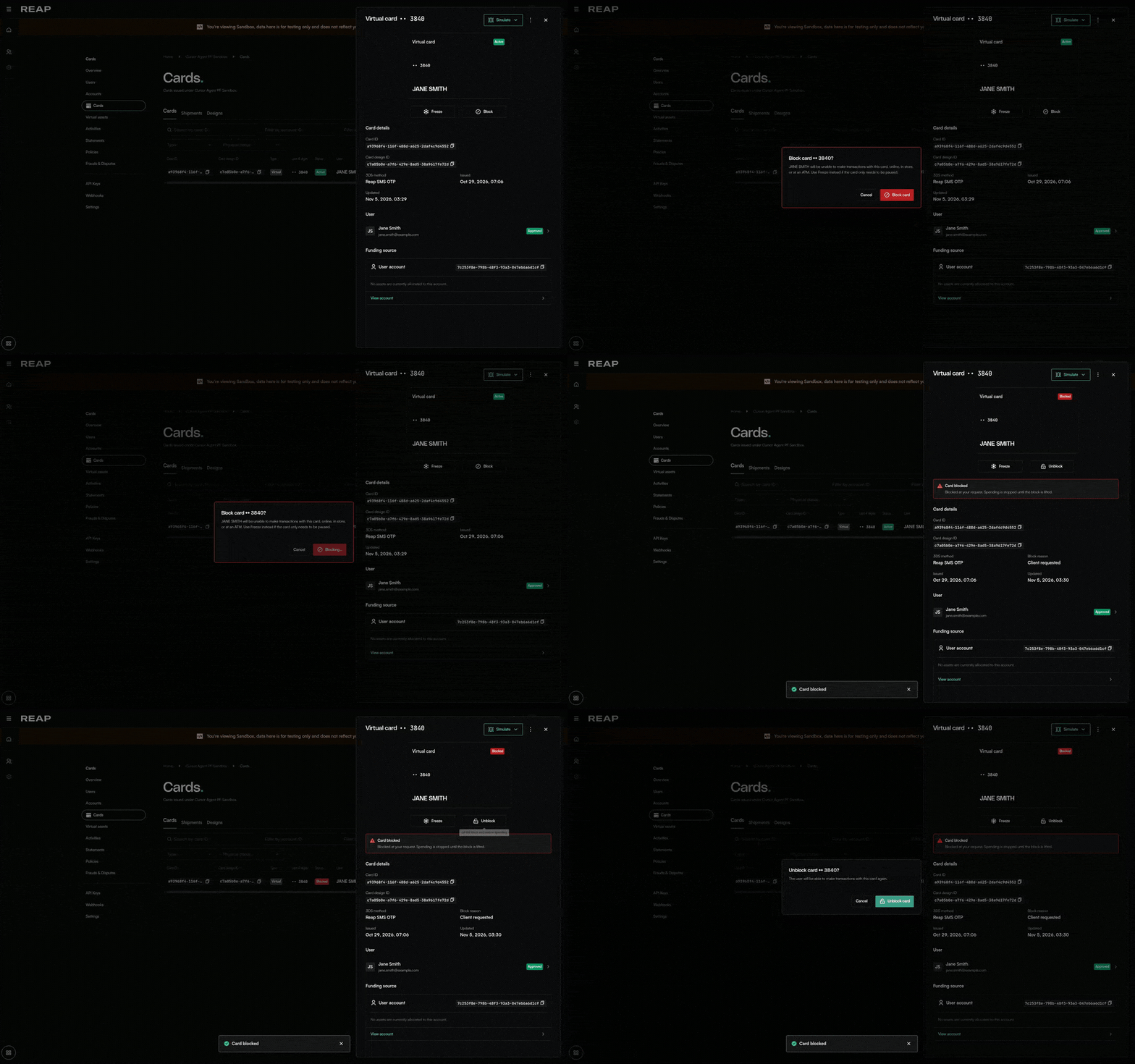
Update PIN
Call Update PIN to set or change the cardholder’s PIN. The PIN is used for ATM withdrawals and at POS terminals that require chip-and-PIN verification. PIN requirements:- 4–12 digits
- No 3 or more consecutive ascending digits (e.g.
123,234) - No 3 or more repeated digits (e.g.
111,555)
Delete a card
Call Delete a card to delete a card when offboarding a user or closing their card program. Deletion is irreversible via the API.Delete a card in the dashboard
Delete a card in the dashboard
Open the card, then choose Delete card from the Card menu. A confirmation opens. After you confirm, the card disappears from the list and the dashboard says the card is deleted. Deletion cannot be undone.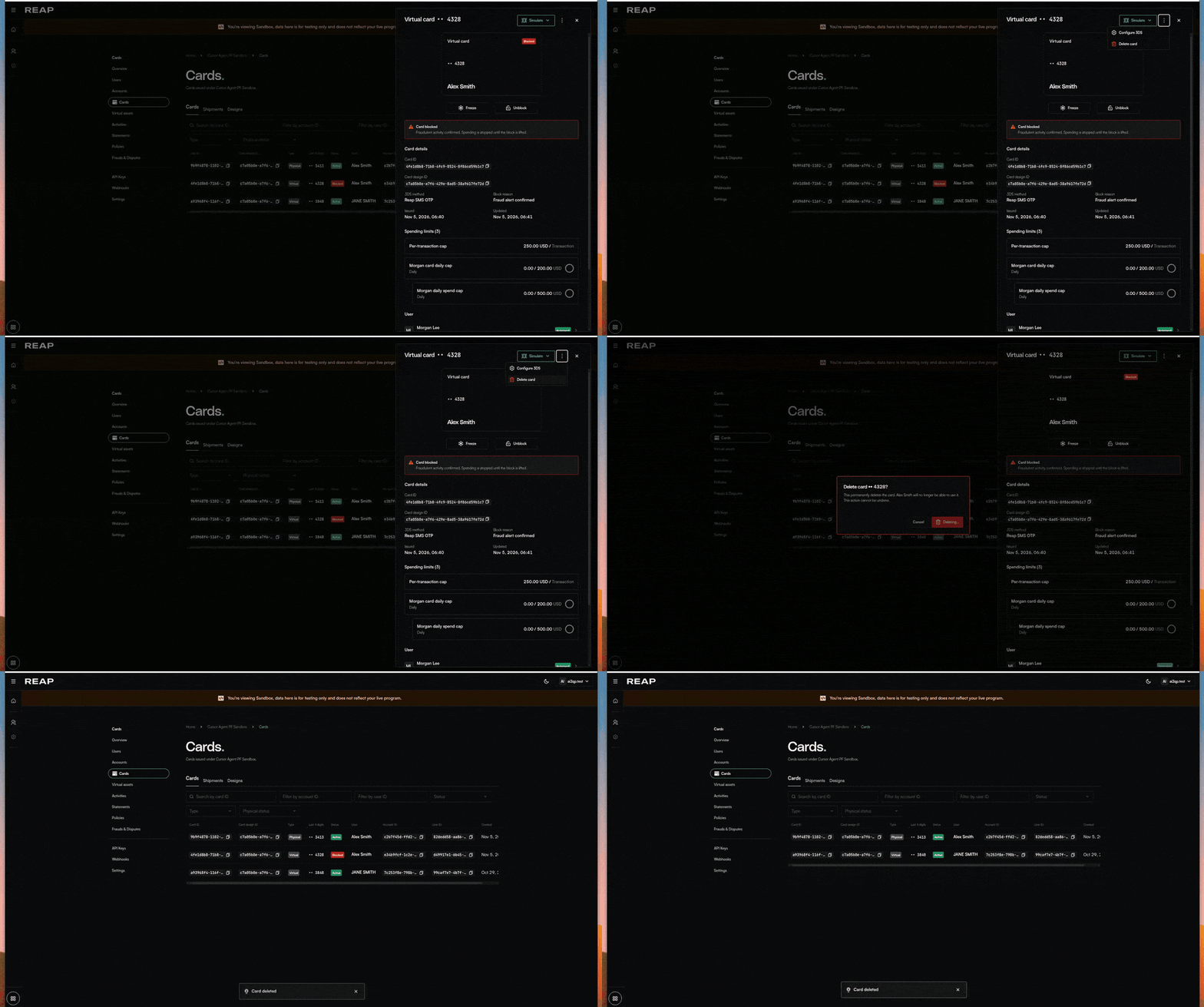
List cards
Call List cards to retrieve cards for your project. Use theaccountId filter to scope results to a specific user’s account. This is the most common use case when showing a cardholder their own cards.
List cards in the dashboard
List cards in the dashboard
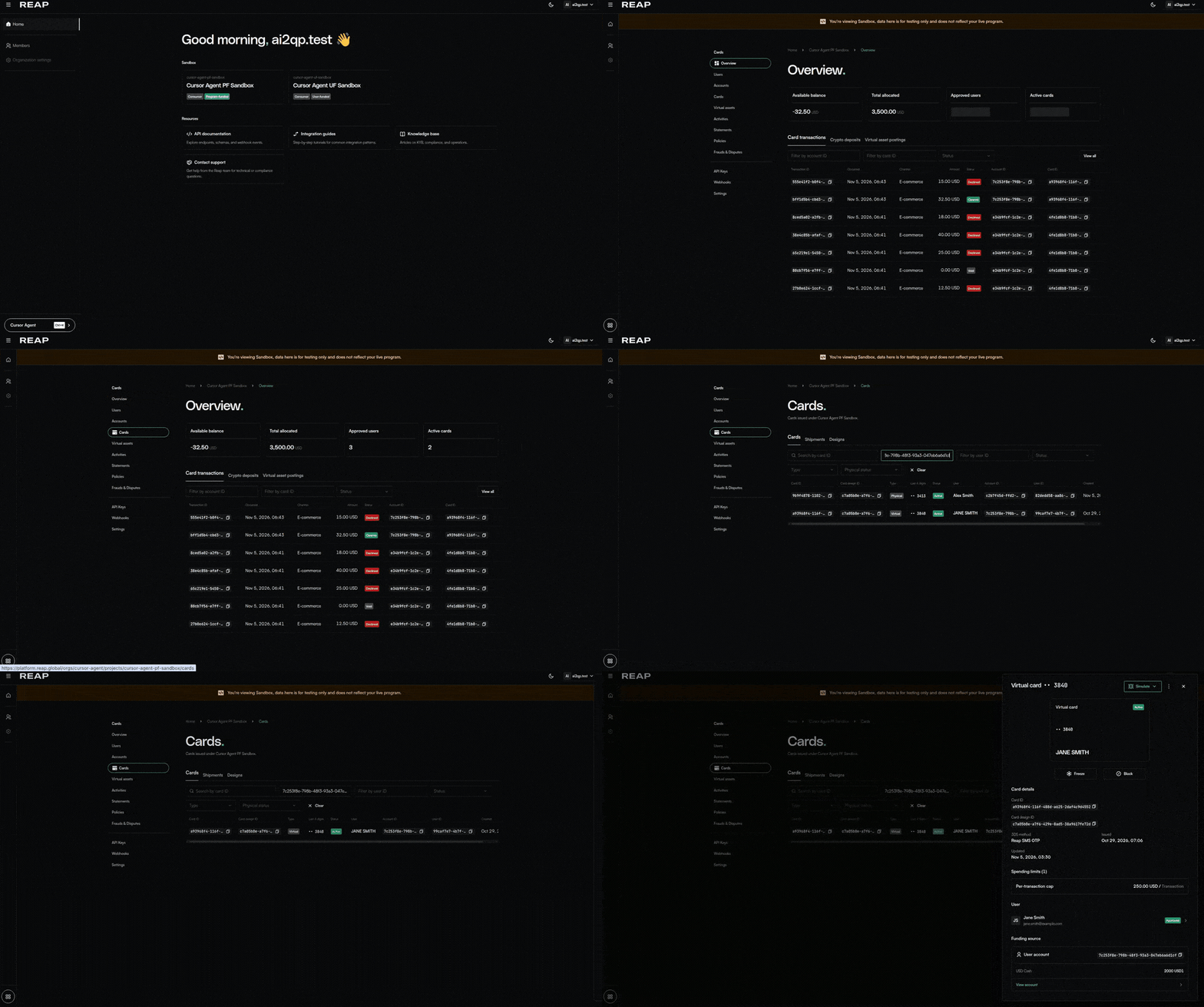
Open the project from the org home, then Cards. Filter by account ID to scope the list to one user. Open a row to see that card.